WordPress Plugin and REST API
On this page
You do not have to replace your website. WrkLst feeds the one you already have, through the free WordPress plugin or a direct connection for your developer — both set up under Settings in WrkLst 10.
If you would rather have a website made from what you keep in WrkLst, a WrkLst website can be added to your plan — see Your WrkLst website.
The WordPress plugin
If your site runs on WordPress, the plugin pulls data straight from WrkLst so that pages stay current without anyone copying and pasting. It shows works that have an image, with captions and alt texts, and exhibitions with their works, installation shots and press releases. It never shows prices, confidential notes or contact details. Artist biographies are published through the biography sync under Settings → Webhook Sync — see Biographies.
To connect the plugin, someone whose role has the right API Tokens creates its access key:
- Open Settings → API Tokens and choose Create token.
- Give it a name and choose the access WordPress plugin. A token of this kind reaches only the website: no prices, nothing confidential, no access to anything else.
- Copy the token now — it is shown only this once — and paste it into the plugin's settings (WrkLst → Settings in WordPress).
The direct connection (REST API)
For a website that is not on WordPress, or for other software, a developer can connect to your account directly. The connection reads and writes works, contacts, exhibitions, media, sales, lists, shipments, consignments and leads, and can search and list records. A lead created through it — an enquiry from a form on your own website, say — arrives Unverified unless the request marks it verified, and everyone whose New leads setting covers it is told, the token's own user included; notify: false creates it without telling anyone, for an import or a test. The reference for every endpoint is inside WrkLst under Settings → API Tokens → API documentation, with a search over all sections; the reference is in English.
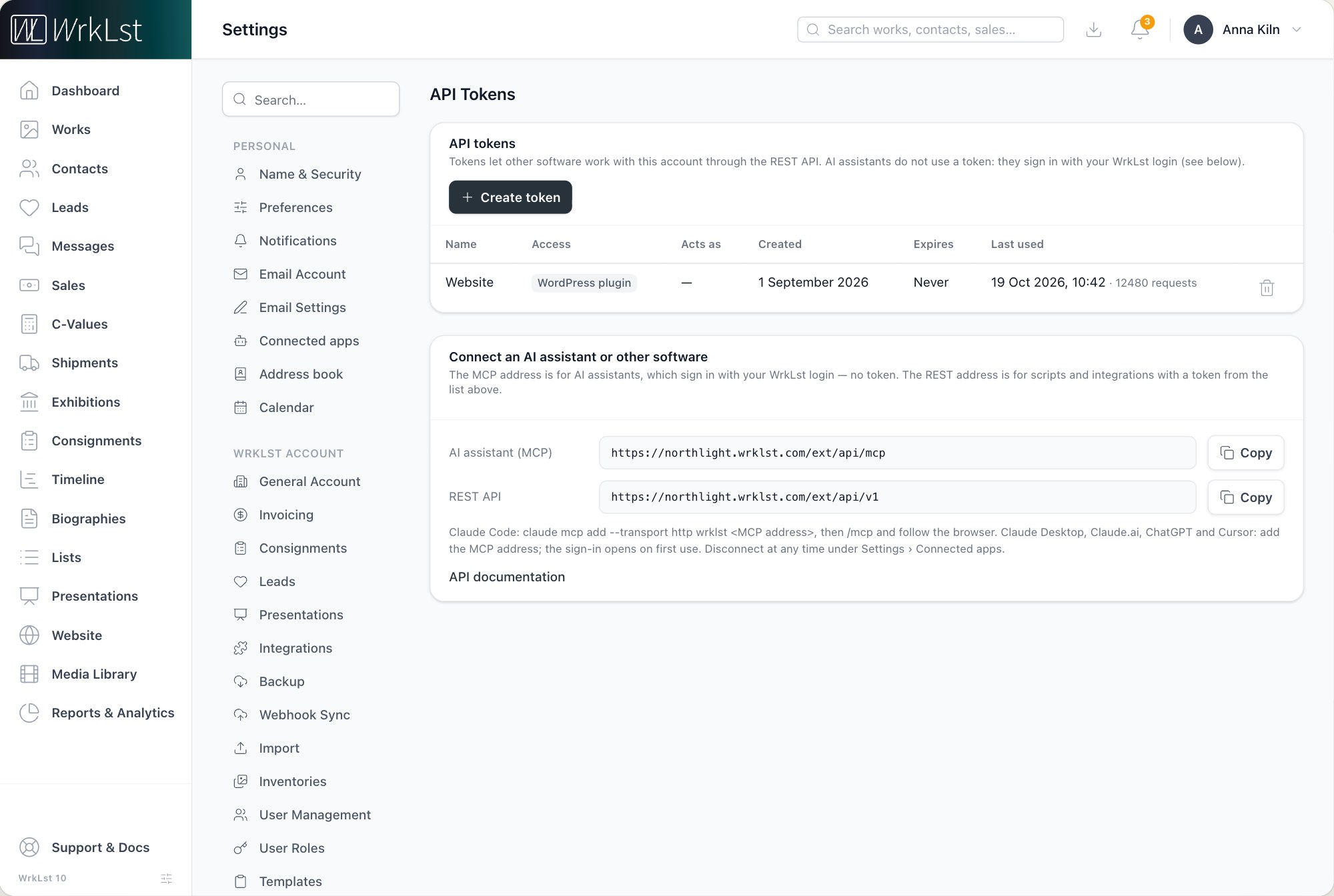
Settings → API Tokens.
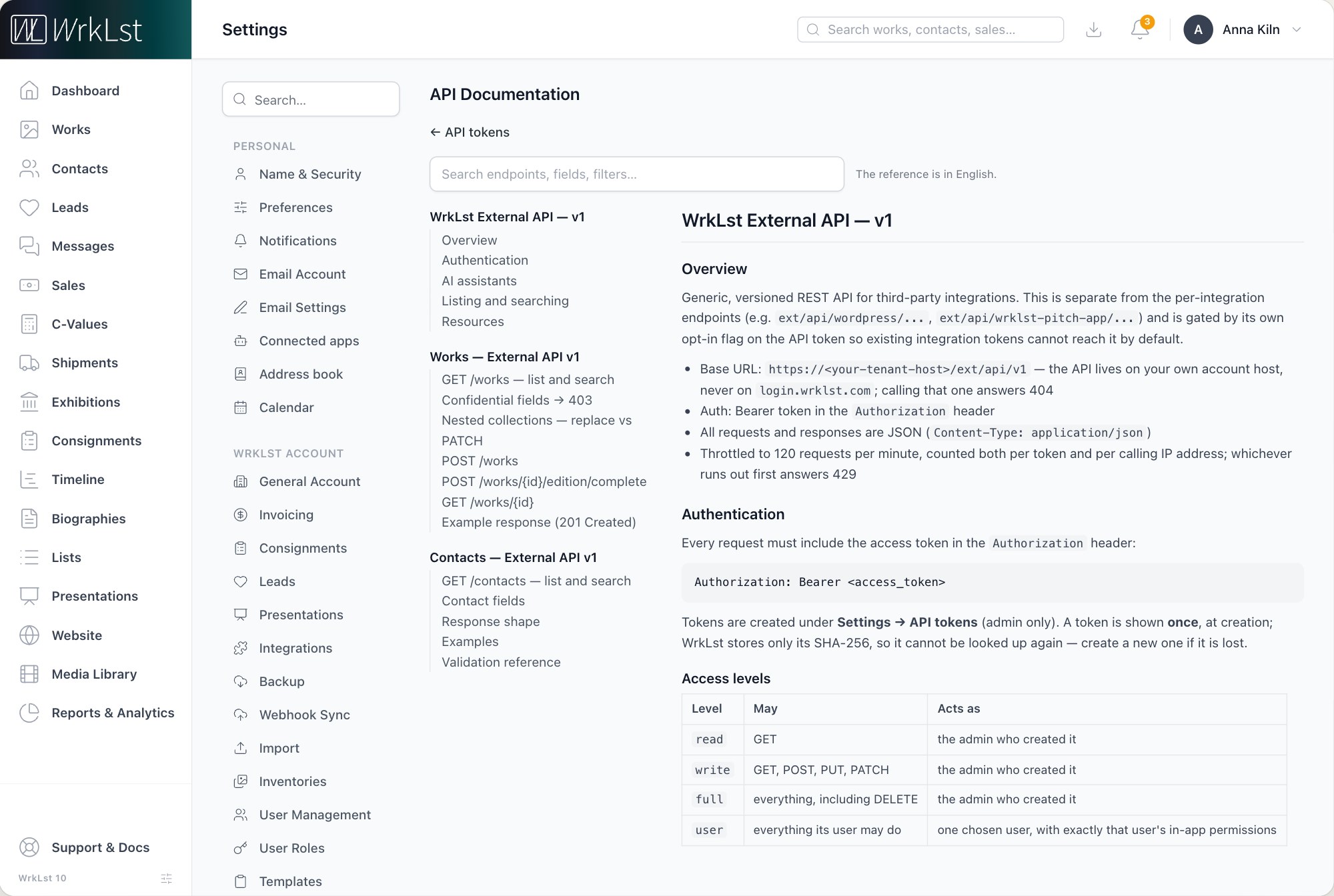
Settings → API Tokens → API documentation.
Tokens are created under Settings → API Tokens by anyone whose role has the right API Tokens (Settings → User Roles); the Administrator role has it. Each token has one access level: Read can read every module and change nothing; Read & write can read, create and change but not delete; Full access can also delete; User acts as one chosen user with exactly that user's rights — the right choice for a person's own scripts. A token can have an expiry date, is shown once at creation and can be revoked at any time from the same page. The user a token acts as must hold the API access permission in their role under Settings → User Roles; administrator roles hold it by default. Every call is listed under Settings → Interaction Log, with the user it ran as.
AI assistants do not use a token: they sign in with your WrkLst login. See AI assistants.
Taking your data with you
Beyond day-to-day exports of spreadsheets, PDFs and Word documents, your entire WrkLst database can be downloaded as one complete file (an SQL dump) whenever you like, under Settings → Backup with Create today's database backup; the same page exports all contacts as vCard and CSV — see Backup in Customise General Account Settings. It is a full copy in a standard format any database specialist can open, and it means leaving WrkLst never means losing your records.
Getting help
Tokens are created in your account by anyone whose role has the right API Tokens. If you would like the WrkLst team to look at what your site needs to show, contact support@wrklst.art.