Correspondence: the mail you exchanged with a contact
On this page
A contact's record can show the emails you exchanged with that person, found in your own mailbox, and lets you keep or answer them without leaving WrkLst. This article describes WrkLst 10.
What you need
Correspondence looks in your own mailbox, so it needs a mail account connected under Settings → Email Account — Google Workspace, Microsoft 365, Infomaniak kSuite or IMAP / SMTP. A connection that can only send has no mailbox to read; add an IMAP server to it. See Email and accounting connections: Google Workspace, Microsoft 365, QuickBooks, Stripe and Shopify.
Looking up the mail you exchanged
Open a contact and go to its Messages panel. The search button there opens Find mail in your mailbox: WrkLst looks in your mailbox for emails exchanged with the addresses written down on this contact — only those addresses, and only when you ask it to. Narrow the result by Subject or content and choose Search. You can also start from Messages and answer Whose mail are you looking for? by choosing the person first.
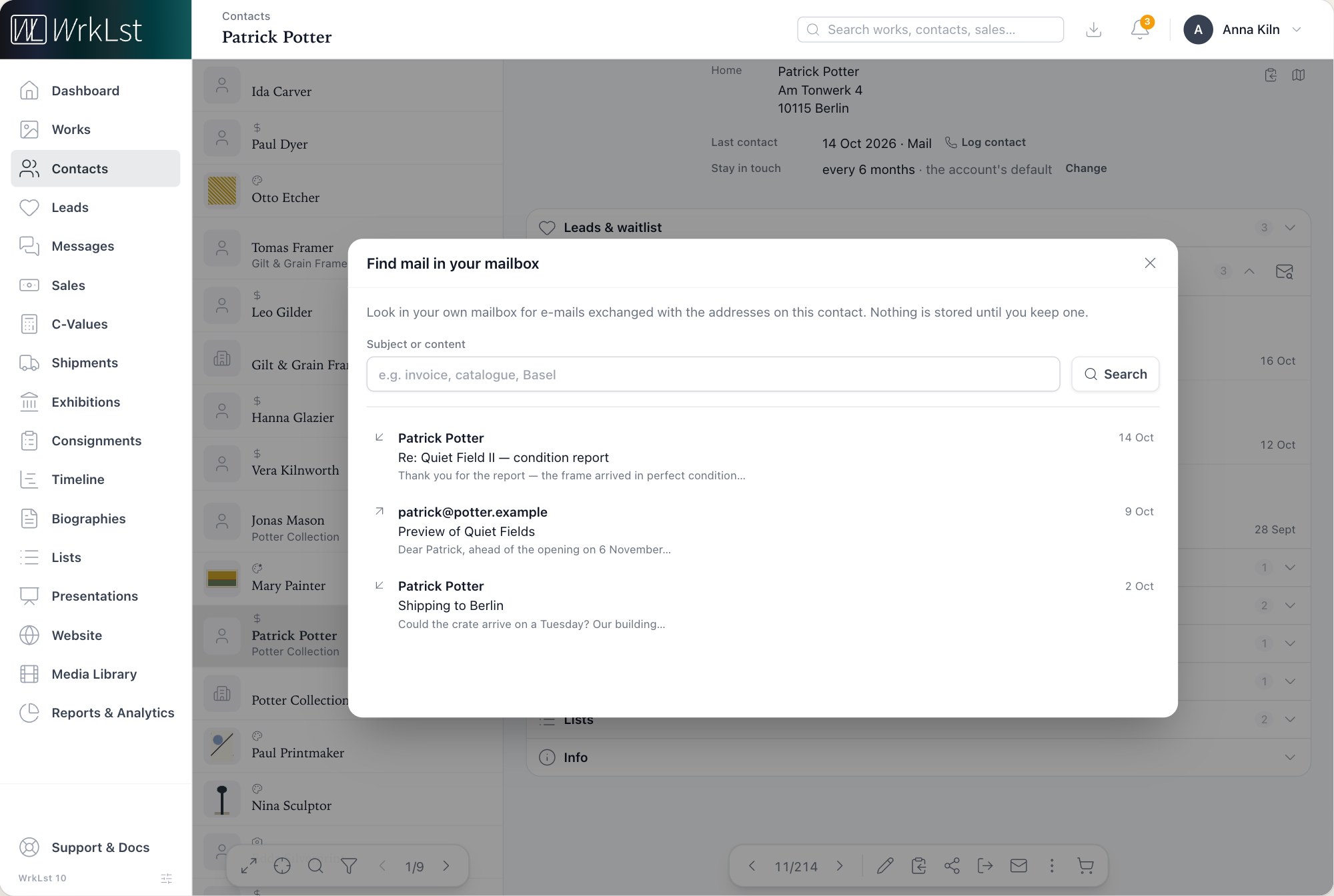
Searching your mailbox for a contact's mail.
WrkLst shows the ten most recent; an arrow beside each one shows whether you sent or received it. Open one to read it. Images in a mail are not loaded, because loading them would tell the sender that you opened the mail; Show images loads them when you want them.
Keeping a message on the contact
Nothing is stored until you keep a message or reply to it. Keep in WrkLst adds it, as text, to the contact's record; it then shows as Kept and is part of the contact's record from then on, like any message you sent from WrkLst. It also counts as contact in the Contact log, and the contact's open and Long-term leads note that mail was exchanged — who and when, never what it said. Make a lead, beside it, starts a new lead for this contact from that mail — see Leads: follow every enquiry from first contact to sale.
Replying from the contact
Reply first keeps the mail on the contact, then opens the same message editor you write everything else in, so an answer can carry artworks, captions and attachments. With a Microsoft 365 account, a reply can't carry artworks or attachments yet; send a new message instead. The subject stays as it is, and the reply goes out from your own mail account into the same conversation, where your recipient's mail program files it with the original. The reply is written down on the contact like any other message. With a Microsoft 365 account, a reply records no opens, even with Track on, so that reading your own copy can never count; see Messages. A message opened in Messages also offers Forward: it sends that message, with its works, to someone else and starts a new conversation.
Seeing the whole exchange
An open message shows the Conversation it belongs to: what you sent, and what you kept from your mailbox. A work, in turn, shows the messages you sent it with — who received each one, what it was about and what happened to it — and a click opens the message. See Messages.