Merge Two Contacts
On this page
When the same person or company is in your contacts twice, merge the two into one. Everything linked to either of them comes together on the contact that stays. This article describes WrkLst 10.
How to merge
- Open the contact that should stay.
- In the ⋯ menu, choose Merge with another contact….
- Search for the other contact and pick it.
- WrkLst shows the two side by side:
- Where both fill a field differently, for example two spellings of the last name, choose which value stays. This contact's value is selected to start with.
- A field only the other contact fills, such as a VAT ID or a date of birth, is taken over by itself.
- Notes of both are kept, one after the other.
- Under Comes along you see what the other contact brings, per area: works, sales, lists, emails and so on.
- Choose Merge.
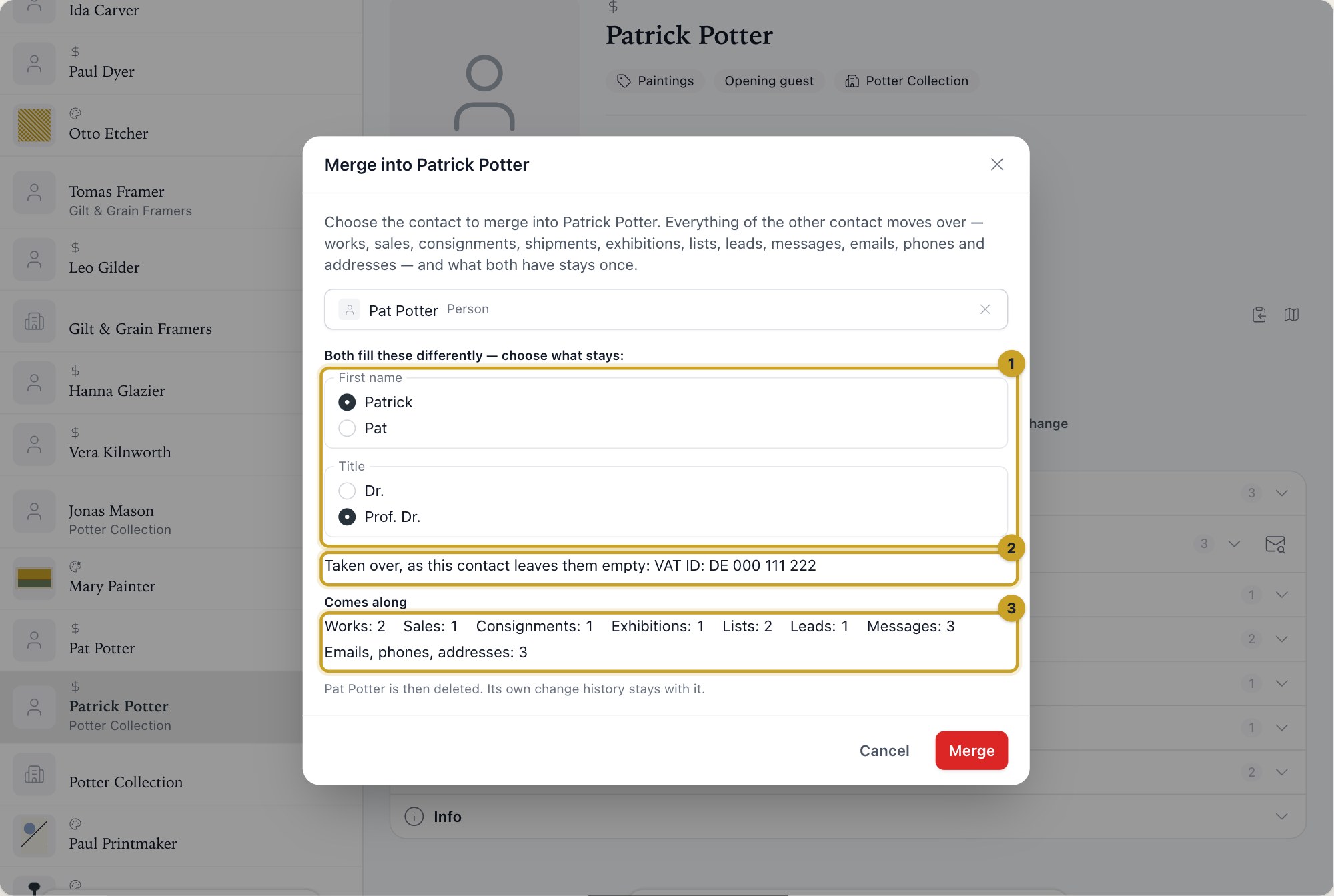
The merge, with the other contact picked: (1) the fields both fill differently, where you choose what stays; (2) what is taken over because this contact leaves it empty; (3) what comes along, per area.
The other contact is then deleted. Its own change history stays with it.
From the possible duplicates
While you edit a contact, WrkLst lists Possible duplicates already in your contacts under the name, as it does for a new contact. Choose Merge… beside one of them and the merge opens with that contact already picked; it is merged into the contact you are editing. Save your changes first: until you do, Merge… waits.
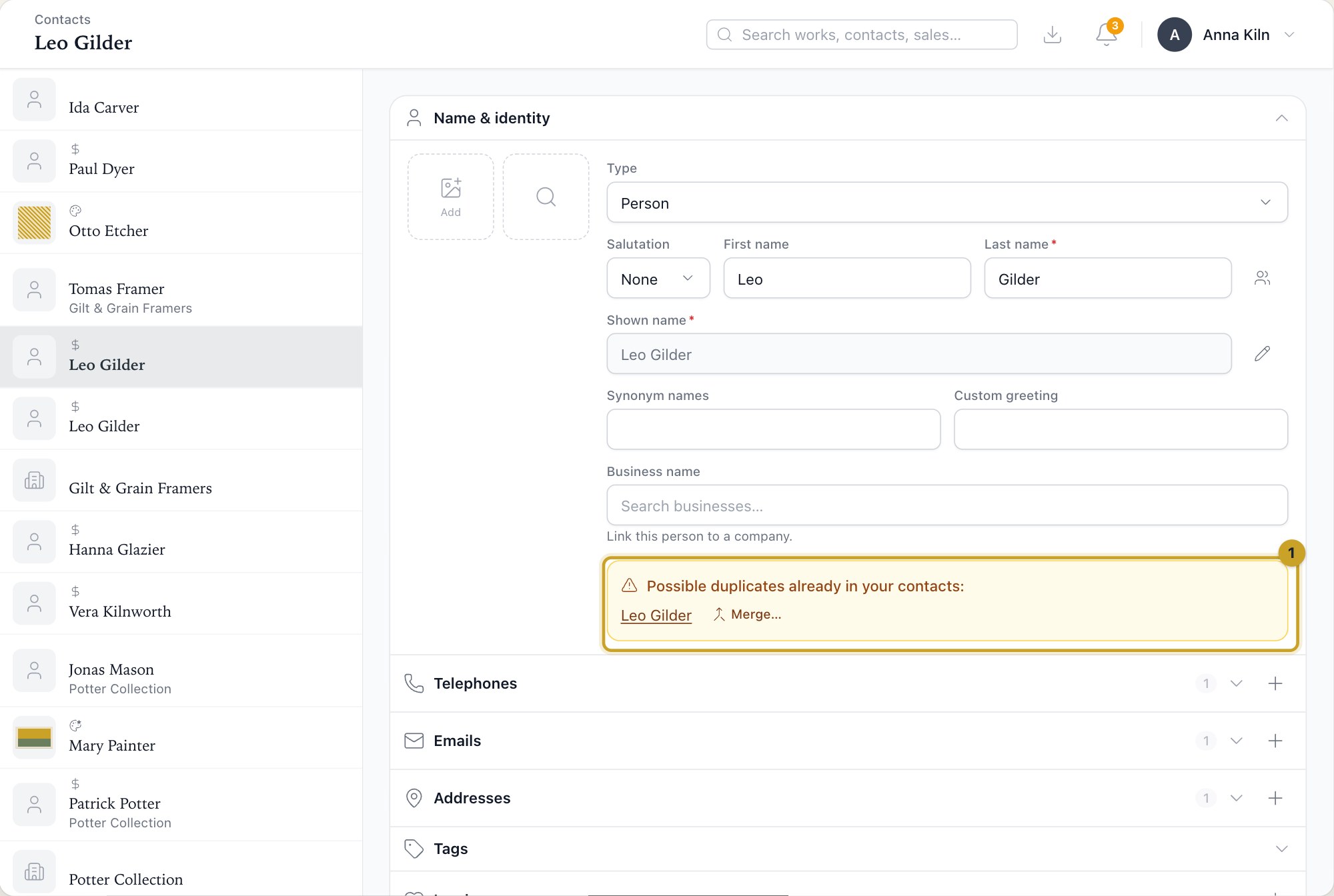
(1) Possible duplicates under the name, with Merge… beside each.
What comes along
Everything linked to the other contact moves to the one that stays:
- works it made, owns, lent or sold to you;
- sales, consignments and shipments;
- exhibitions and lists;
- leads and waitlists;
- messages and presentations;
- its emails, phone numbers, addresses, links, pictures and documents.
Nothing is had twice:
- An email, phone number, address or link both contacts carry is kept once. The same number written with or without the country code counts as the same.
- A work, list, sale or exhibition both are linked to keeps one link.
When merging is not possible
You need the right to edit contacts, and a confidential contact can only be merged by someone who may reveal it. While someone has one of the two contacts open in the edit form, WrkLst waits: try again when they are done.